
There’s no English so the first time can be a little difficult.
How to withdraw money
- This is the screen the ATM will have once you tap to wake up the screen. It is the only screen that has English options. Clearly to get money out, you’ll press withdrawal. YOU DON’T PUT YOUR CARD/BANK BOOK IN YET. THE SLOTS AREN’T OPEN.
- お預入れ Deposit (you can add cash into your account at the ATM)
- お引出し Withdrawal (take out cash)
- お振込 Transfer (transfer between your account and someone elses)
- 残高照会 Balance Inquiry (see account balance using card only)
- 通帳記帳 Bankbook Entry (update your bankbook record)
- カードローンお借入/ご返済 Card loan borrowing/repayment
- 定期預金お預入れ Fixed Deposit
- キャッシング/クレジット Cashing / Credit
- 変更・停止手続き Change / suspended procedure
- カードローンお申込 Card loan application
- 暗証番号変更 Change PIN code

2. Next Screen; there is a fee for withdrawing cash, do you agree to the fee?
For Saga bank card/pass holders, only Mon-Fri; 8.45am to 6pm is no fee; all other times/days there is a 110yen fee. Other banks etc. usually have a 110yen fee or a 220yen fee.
The green button in the bottom right hand corner is 確認 かくに confirm.
If you change your mind, top right red button is 取消 とりけし cancel.

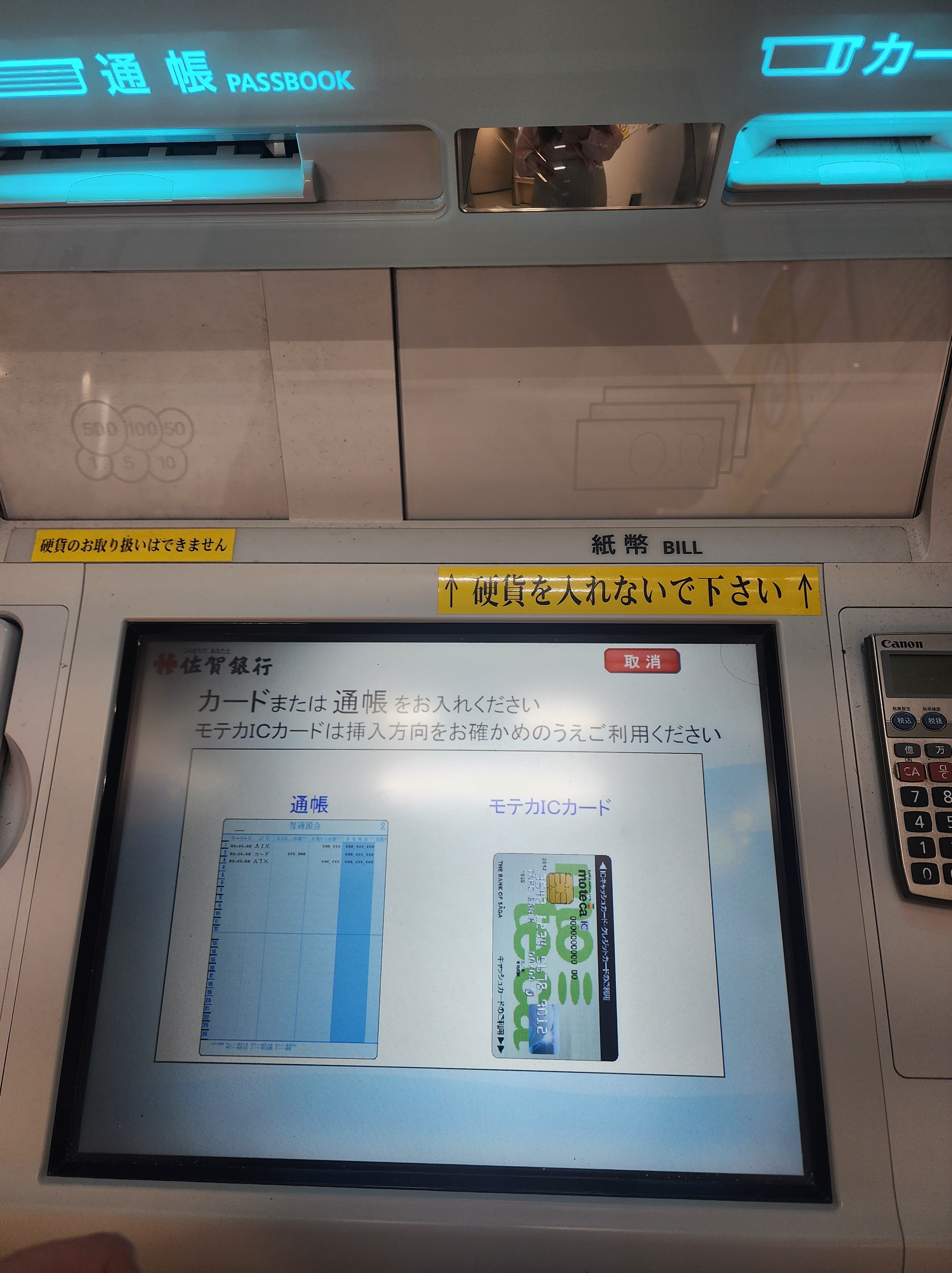
3. Next is time to insert your cashbook or card. It is self-explanatory. The slots light up blue when you can put your card/bank book in.
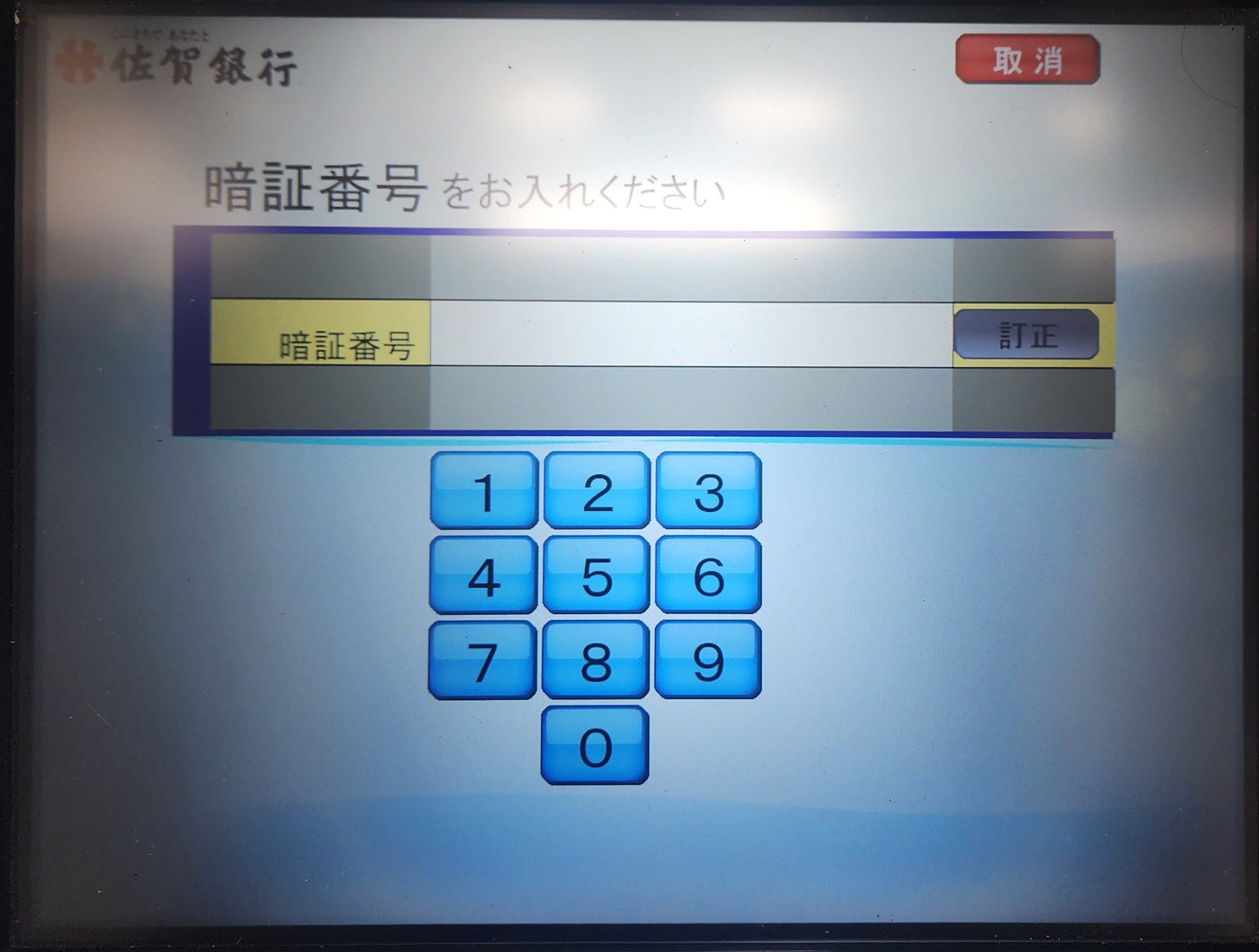
4. After it is asking for your PIN code you use. Please enter your PIN and press 確認かくにん confirm (bottom right green).
If you made a mistake typing, the button next to the entry field line 訂正 ていせい it will delete all the numbers you put in.
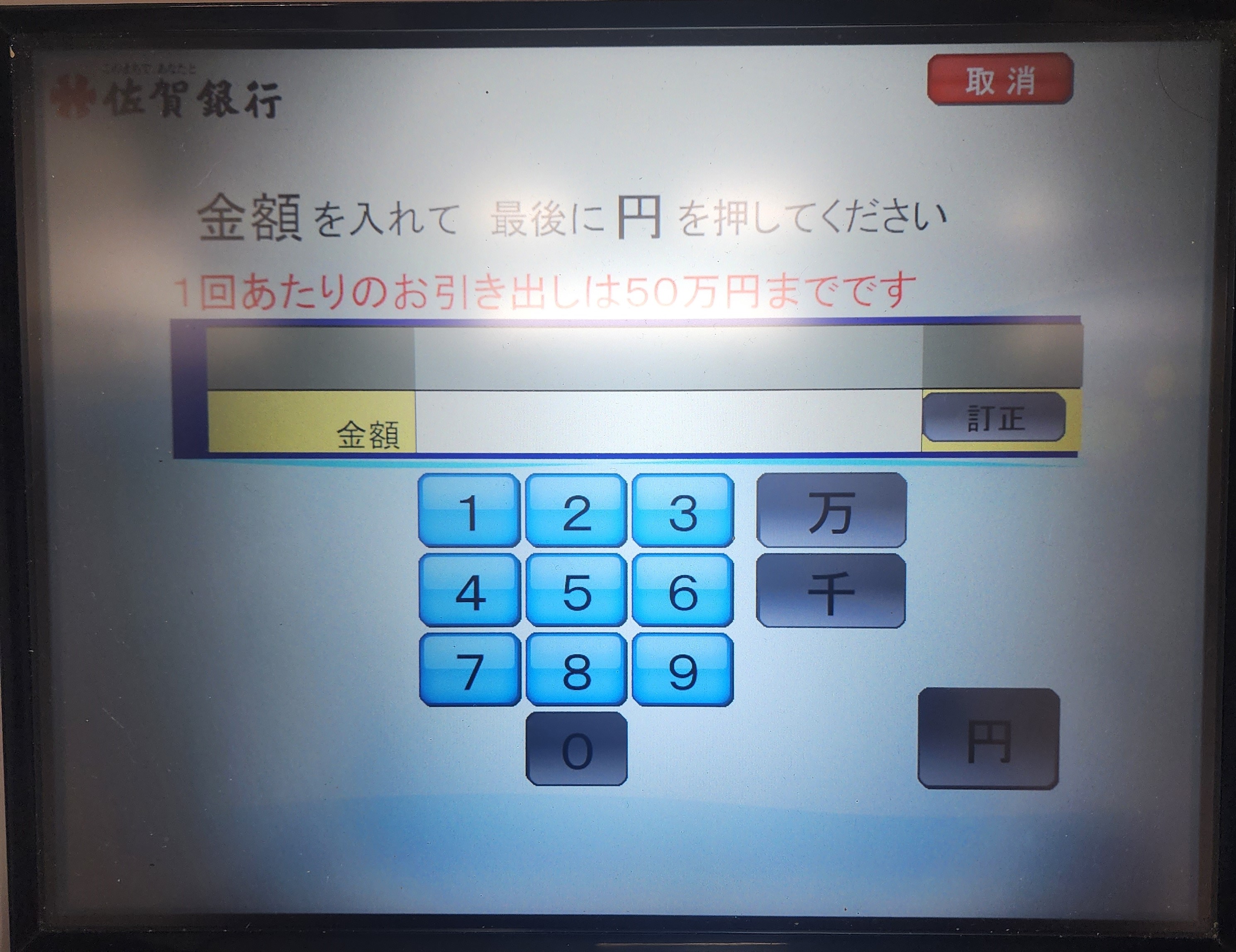
5. Now input how much money you want to withdraw. The limit is 500,000yen (about 3300USD!) at one time on my account. Once you have entered e.g. 10,000 press 円 えん yen button so the machine knows your finished typing. I.e. you want 10,000yen.
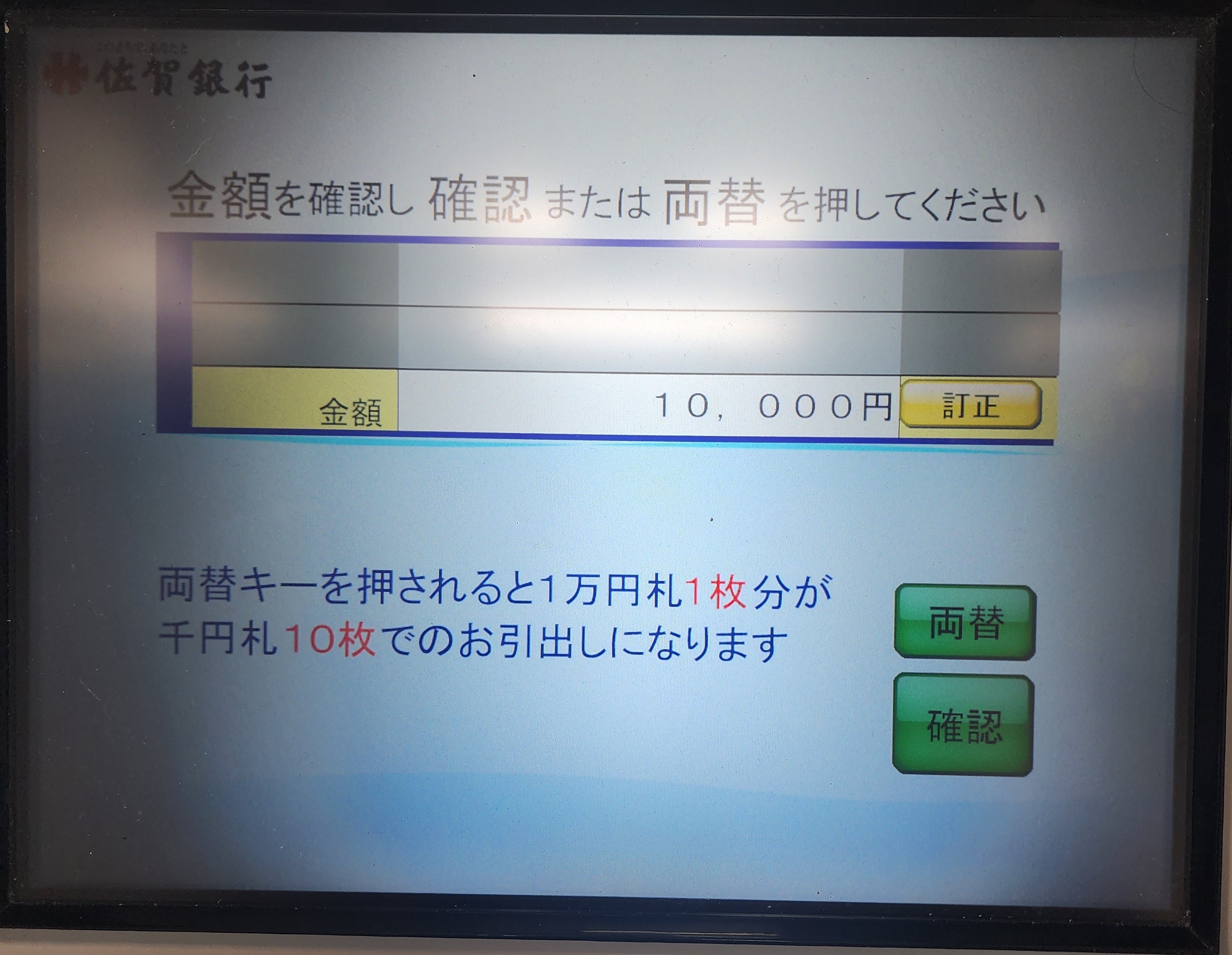
6. Next the ATM is asking if you’d like just a 10,000yen note OR 10, 1000yen notes. If you were withdrawing say 30,000yen. Its asking do you want 3, 10,000yen notes OR 10, 1000yen notes plus 2, 10,00yen notes. I like having the smaller notes, so I always press the smaller notes option.
The top button, 両替 りょうがえ will give you the smaller notes.
Bottom button, 確認 かくにん will give you just 10,000yen notes.
If you want to change the amount press 訂正 ていせい (yellow button next to the yen amount).
7. Lastly, do you need a receipt? Yes (いる left side button) OR No (いらない right side button).
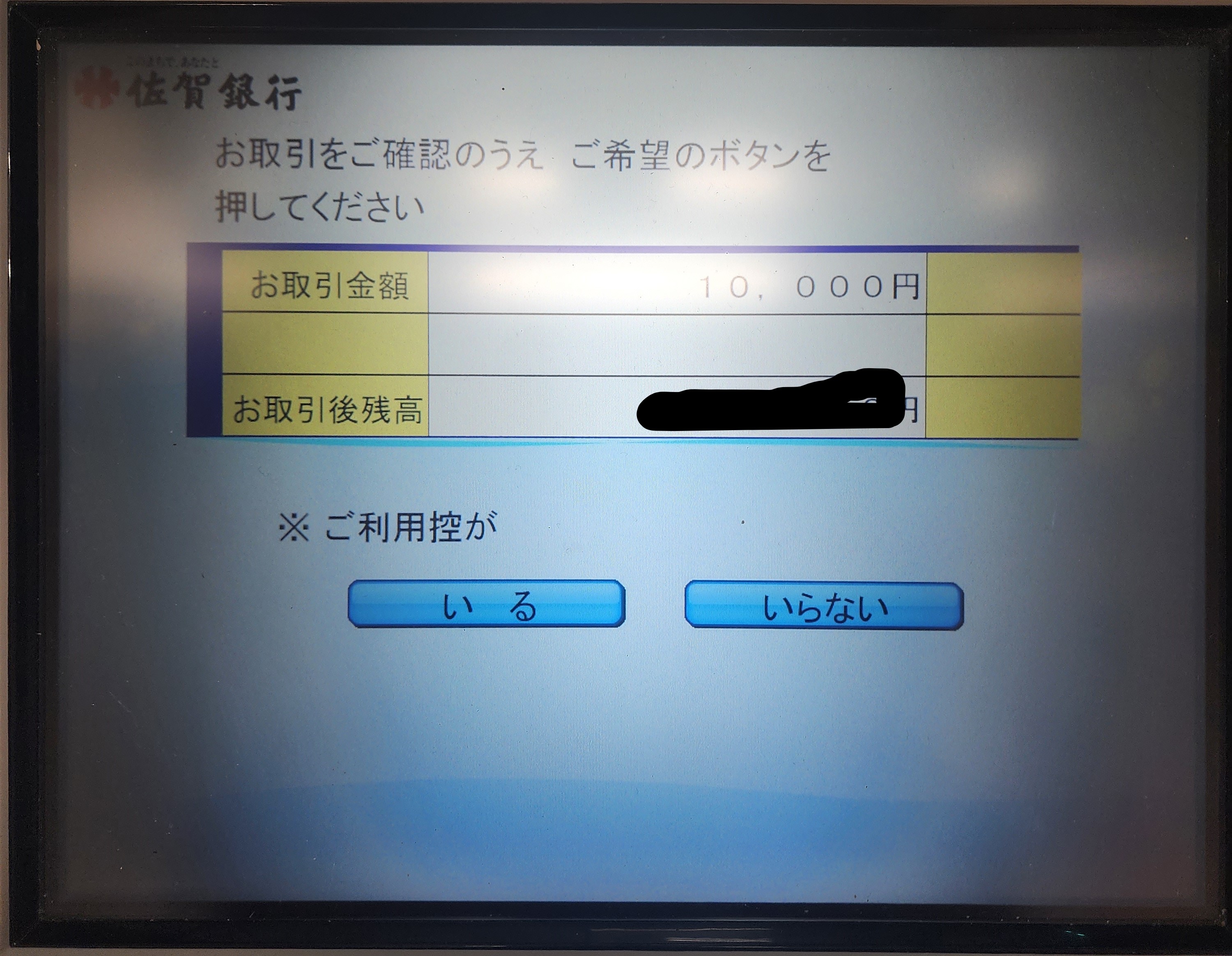
Now the ATM should give you everything back and your all finished.
YAY! You should have money now!
Discover more from Saga JET Programme
Subscribe to get the latest posts sent to your email.
 Saga JET Programme